Marking Bill Items as Disputed
When items have been sent to a Debt collector they can be marked as disputed which will prevent the item being shown on statements and the bill be shown as disputed on the payment screen.
To mark a bill item as disputed item as open the bill and check the "Disputed" checkbox in the Settings. If there are multiple items on the invoice all of them will need to be updated.
The disputed item will be marked on the payment screen using the disputed column.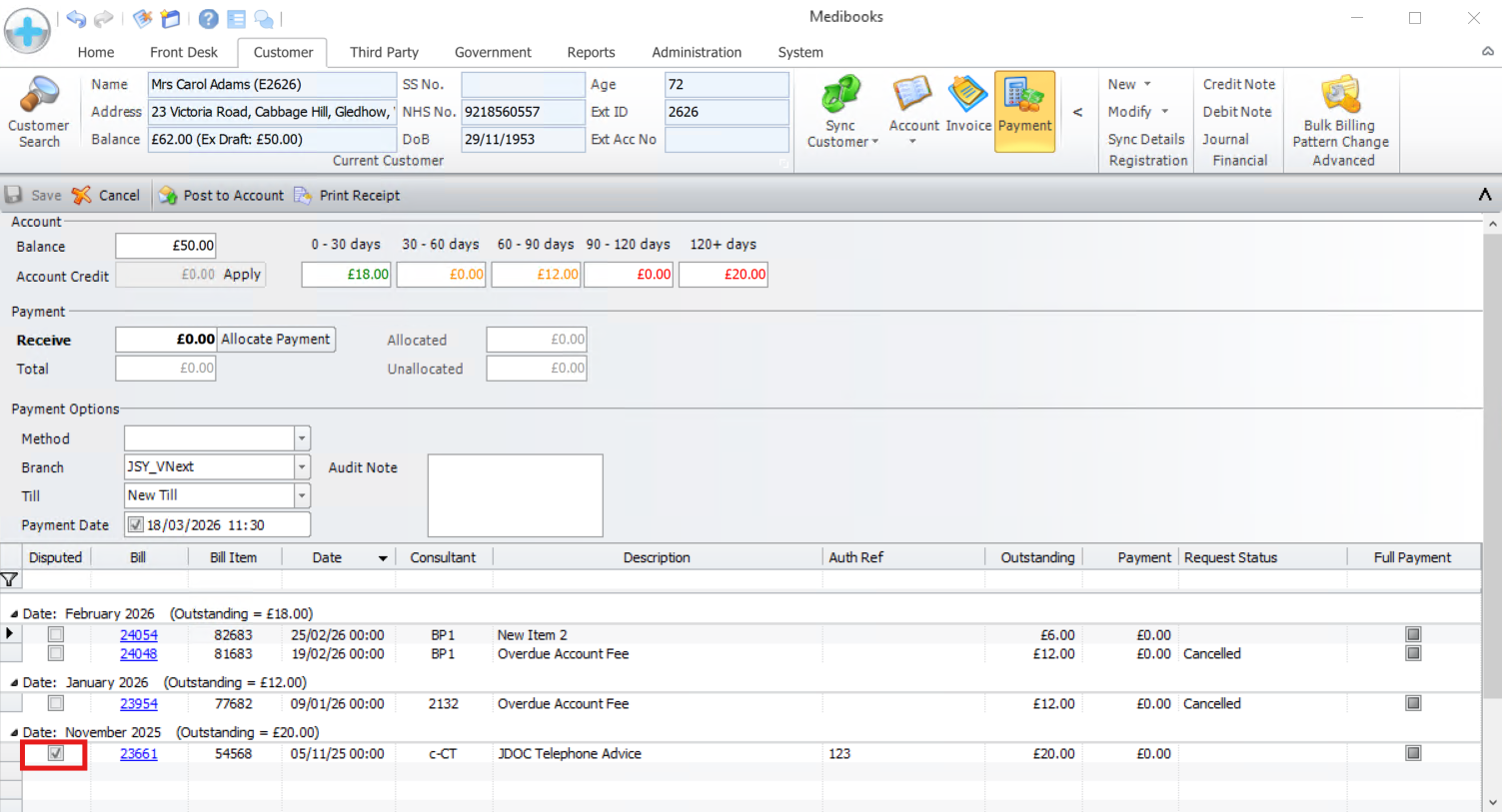
Related Articles
Sensitive Items
The text of selected bill items can be hidden from printed documents using the Sensitive Item flag. Marking Bill Items as Sensitive Bill Items can be marked as sensitive from the Global Catalogue, alternatively, while raising or editing the bill ...Category Items
The Category status is used to mark bill items to ensure only one item can be added per bill this is sometimes a requirement for third parties or rebate. To mark the bill items as Category, go to Administration - > Global Catalogue. Click the lock ...Bill Payment Service Troubleshooting
Posting Payment Requests If while attempting to post a payment request an error saying: "Client Side: Failed to send payment request. Payment Request failed, { ...." please contact CityPay for more help. Setting up the Bill Payment Service If when ...Searching for Accounts by Bill ID
To search for an account by Bill ID, first open the Customer Search page inside the Customer tab. Click on the Transaction button. Click on the Bill text box and enter the Bill ID. Click [Search for Matches].Add Items to Price List
To add items to a price list, go to the Administration Tab and select [Catalogue Pricing]. Use the drop down to select the price list. Click Edit Lock. Set the Effective Date to the date you would like the item to be visible from. Double-click an ...